Changelog
Stay up to date with the latest changes and improvements to our block library
13 integration blocks, 9 new settings blocks, and a redesigned explore page.
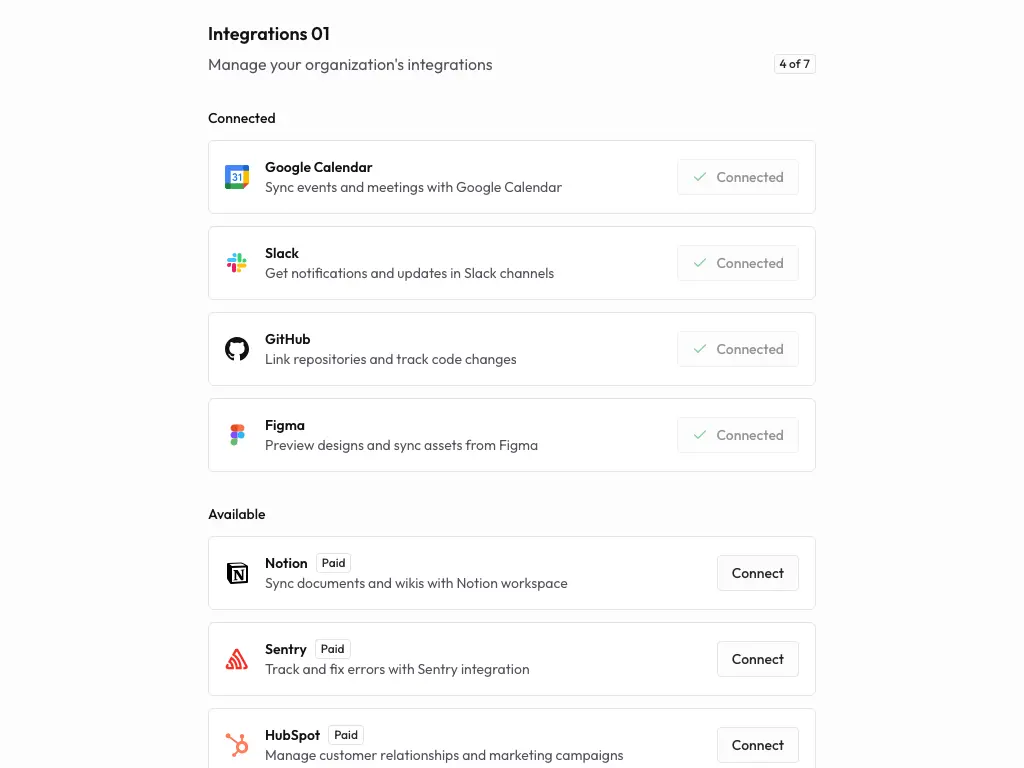
Integration blocks
This is the big one. We just shipped 13 integration blocks — everything you need to build a "connected apps" page for your product. Multiple card layouts, status indicators, and configuration views so you can pick the style that fits.
Settings blocks got serious
Building a settings page used to mean wiring up a bunch of one-off layouts. Not anymore. We added 9 new settings blocks covering the stuff every real app needs:
- Accessibility and Appearance — let users customize their experience
- Audit Log — show who did what and when
- Data Export — give users control over their data
- Language and Privacy — preferences and consent management
- Roles and Sessions — manage access and active sessions
- Webhooks — set up and monitor webhook endpoints
Explore page redesign
We rethought the entire explore page. The sidebar navigation is more responsive, the mobile drawer actually works well on small screens, and everything loads noticeably faster thanks to some performance work under the hood.
We also cleaned up the color palette and simplified a bunch of tooltip and copy button interactions — small things, but they add up.
Better templates, a polished details page, and a handful of fixes.
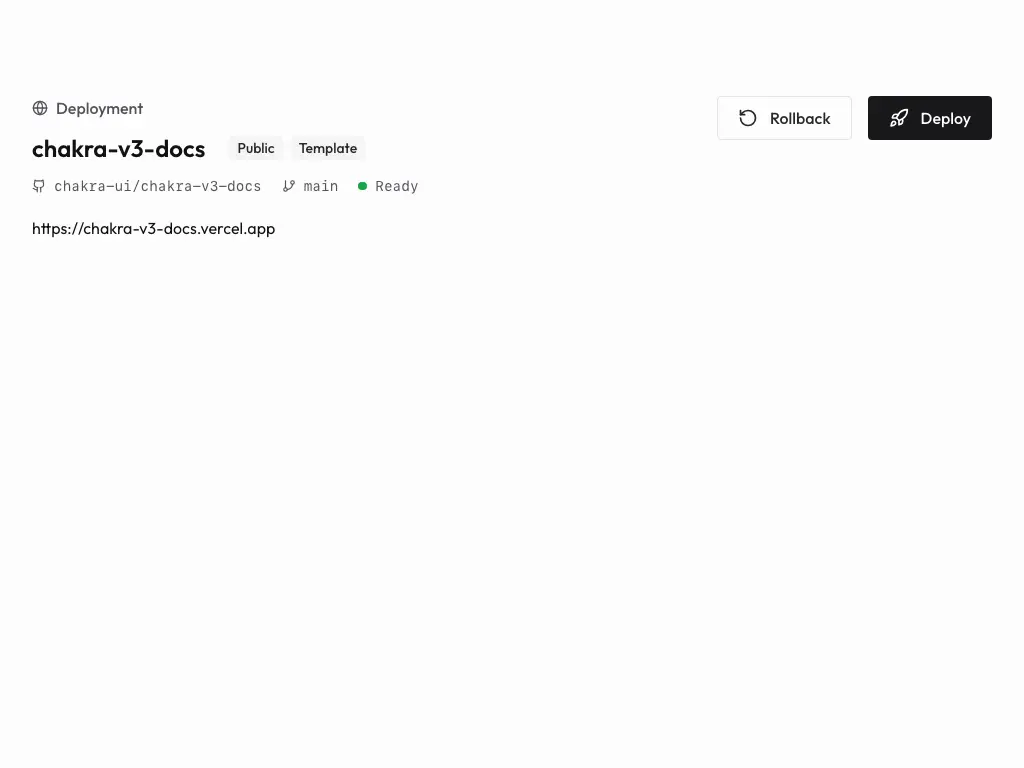
Templates, but better
Last month we shipped templates. This month we made them actually good.
The details page got a full redesign with richer layouts, and we added a proper data model behind the scenes so templates load faster and stay consistent. We also dropped in some call-to-action sections to make it easier to jump from browsing to building.
Fixes and polish
- Search dialog in the navbar was slightly off — fixed
- Cleaned up deprecated template data and moved everything to the new schema
- Tidied up template metadata so things feel more consistent across the board
A brand new templates page, one-click copy, and a better way to explore blocks.
Templates are here
We've been wanting to ship this for a while — you can now browse full-page templates right from the site. Each template comes with its own detail page so you can see exactly what you're getting before you grab the code.
Need something specific? There's search and filtering built in so you can find templates by category or use case without scrolling through everything.
New blocks
- Page Header with Breadcrumb Actions — a header block with breadcrumbs and inline actions, great for dashboard-style pages
- Copy All — hit one button, get all the code. No more copying blocks one by one
Quality of life
- Reorganized header blocks so they're easier to find
- The explore page got a layout refresh — navigation feels a lot smoother now
Changelog blocks, interactive previews, step guides, and better mobile docs.

Documentation blocks, continued
We're building out the docs toolkit even further this month.
- Changelog blocks — display version history and release notes in your own product (yes, we used these to build this very page)
- Interactive examples — show code alongside a live preview, with a toggle to switch between them
- Step blocks — numbered step components for tutorials and walkthroughs
- Doc headers — header blocks with breadcrumbs, titles, and API endpoint displays
- Pagination — simple navigation for multi-page docs
Fixes
- Tab navigation in interactive blocks was broken on some browsers — fixed
- Better syntax highlighting across more languages
- Code blocks and live previews now play nicer together
- Mobile responsiveness improvements across all documentation blocks
Org switcher, notifications, API keys, AI blocks, and a documentation toolkit.

New blocks
For your app
- Org switcher — multi-tenant switching between organizations and projects. If you're building a SaaS, you probably need this
- Notification tray — a complete notification system with alerts, badges, and management UI
- API key management — generate, display, and configure API keys securely
- AI interface — modern blocks for AI-powered features and chat-style interactions
For your docs
We shipped a full documentation toolkit:
- Table of contents — three styles (minimal, line, and detailed) so you can match your docs' personality
- Parameter fields — for API reference pages where you need to document request and response fields
- Doc sidebar — hierarchical navigation with collapsible sections
- Code blocks — syntax-highlighted code display
Explore page upgrades
The explore page now has filtering, search, and responsive previews with device selection — so you can see how blocks look on different screen sizes before grabbing the code.
Better auth flows, faster loading, and a cleaner codebase.

Authentication, refined
No new blocks this month — instead we went back and made the existing ones better. The authentication blocks got a thorough overhaul with improved security patterns and smoother user flows.
We also streamlined the onboarding and activation dialogs. Less friction, fewer steps, same result.
Faster everything
- Blocks load noticeably faster now
- Error handling is more graceful across dialogs and forms
- Mobile responsiveness got another pass — fewer layout quirks on smaller screens
Housekeeping
We migrated to an improved auth system under the hood, tightened up session handling, updated dependencies, and removed a bunch of unused code. The kind of work that isn't flashy but keeps things running well.
E-commerce blocks, charts, sharing components, and profile management.

E-commerce is here
Building a store? We shipped the blocks you've been asking for:
- Shopping carts — full cart management with item display, quantity controls, and totals
- Product grids — responsive product showcases that work for any catalog size
- Signup offers — promotional blocks for discounts and user acquisition
- Product reviews — ratings and review displays for product pages
Charts, sharing, and profiles
We also added some blocks that don't fit neatly into one category but come up in almost every project:
- Charts — data visualization blocks for dashboards and analytics
- Sharing — social media sharing components for content distribution
- Profile management — user profile display and editing blocks
Improvements
- E-commerce blocks are fully responsive — carts and product grids look great on mobile
- Smoother browsing and product discovery flows
- Better integration patterns between cart, payment, and user components
Everything you need to build a landing page — heroes, features, testimonials, pricing, and more.

Marketing blocks
If you're building a landing page, this month is for you. We shipped a full set of marketing blocks — the kind of sections that usually take days to get right.
- Heroes — bold, attention-grabbing hero sections for landing pages
- Feature showcases — highlight what your product does, clearly
- Testimonials — let your customers do the talking
- Pricing tables — comparison layouts that make the decision easy
- CTAs — conversion-focused sections that actually drive action
Content and communication
- Blog layouts — article and content display components
- FAQs — expandable question sections so users can self-serve
- Contact forms — clean, user-friendly inquiry forms
- Team showcase — put faces to your company
Polish
- Tightened up the visual hierarchy across all marketing blocks
- Better mobile experience — these look good on phones now, not just desktops
- Improved accessibility across the board
The very first drop — navbars, sidebars, footers, cards, and the building blocks every app needs.

We're live
This is where it all starts. We shipped the first batch of blocks — the foundational stuff that every app needs but nobody wants to build from scratch.
Navigation and layout
- Navbars — responsive navigation components that actually work on mobile
- Sidebars — flexible sidebar blocks for app layouts, dashboards, and admin panels
- Footers — clean footer components with nav links and contact info
- Cards — content containers for displaying just about anything
- Page Headers — section headers that give your content structure
App infrastructure
We also shipped blocks for the less glamorous (but equally important) parts of an app:
- Settings — user preference and configuration pages
- Onboarding flows — guide new users through setup without losing them
- Help center — support and documentation display
- Layouts — foundational structure blocks to build on top of
Under the hood
- Consistent navigation patterns across all blocks
- Mobile-first responsiveness for sidebars and navbars
- Smoother user flows in onboarding and settings